
Scripture Forge
يتيح Scripture Forge للمترجمين تحرير الكتاب المقدس بشكل تعاوني، باستخدام اقتراحات الترجمة التي تتعلم وتتحسن بشكل فعال مع تقدم الترجمة.
Scripture Forge هو مجموعة من الأدوات المستندة إلى الويب التي تتيح لك القيام بالمزيد مع مشروع Paratext الخاص بك، أينما كنت. تفاعل مع مجتمع اللغة. تعاون مع نظرائك. وسّع مدى وصولك مع التحقق من الكتاب المقدس. مشاريع الكتاب المقدس تشمل مجموعات متنوعة جغرافياً من متحدثي اللغة الأم. أداة التحقق المجتمعي الخاصة بنا تسهل حملات التحقق النمطية من الكتاب المقدس، لتقديم تعليقات أوسع للجنة الترجمة، بشكل أسرع.
كما يتيح Scripture Forge للمترجمين تحرير الكتاب المقدس بشكل تعاوني، باستخدام اقتراحات الترجمة التي تتعلم وتتحسن بشكل فعال مع تقدم الترجمة.
باستخدام مجموعة من الأساليب القائمة على القواعد، والمناهج الإحصائية، والتعلم الآلي للشبكات العصبية، يمكن لـ Scripture Forge إجراء تنبؤات الترجمة بشكل متزايد دقة تجعل عمل المترجمين أكثر بساطة وكفاءة، ثم إشراك أعضاء المجتمع في التعاون على التنقيح.
الشاشات
الشهادات
"It was so easy! ...all I had to do to get started was log in using my Paratext registration and boom! It was all there. Right away I chose a verse and wrote a checking question for it. Then I also recorded myself asking that checking question. It's so great that feedback can be gathered either way"
Trevor Deck, SIL Global Diaspora Specialist
Scripture Forge integrates tightly with Paratext, so the user first needs to be an administrator on a Paratext project.
Next, go to https://scriptureforge.org/login and login with your Paratext credentials.
After logging in, you should see a list of Paratext projects for which you are an administrator. Choose one of these projects to open in Scripture Forge.
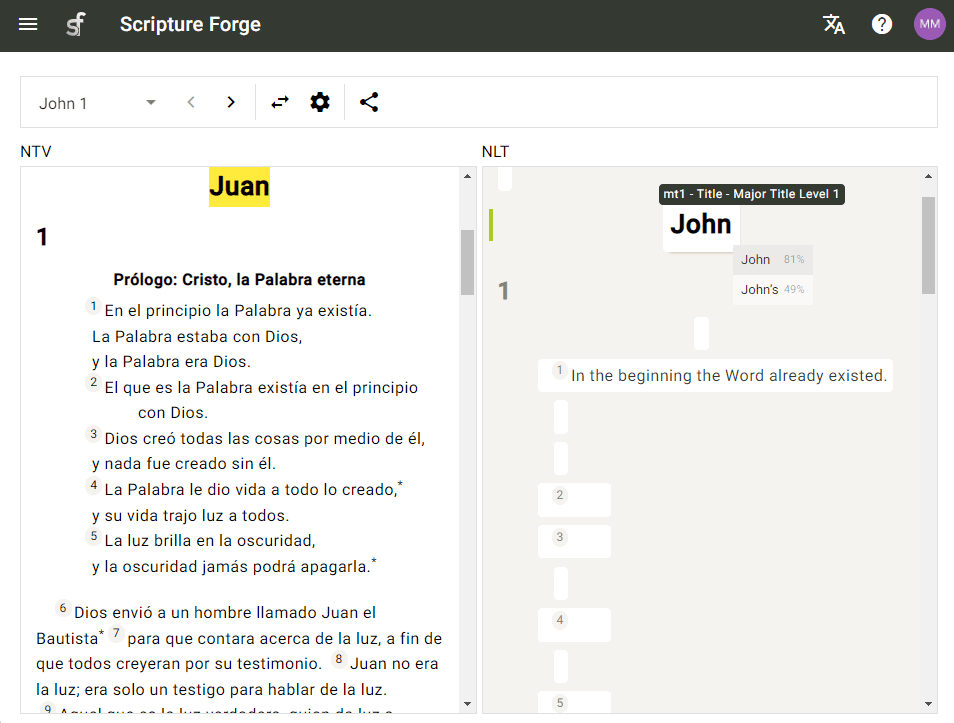
As you open a Scripture text, you will see translation suggestions that you can accept or ignore. As you go on, the suggestions should become increasingly accurate and helpful!
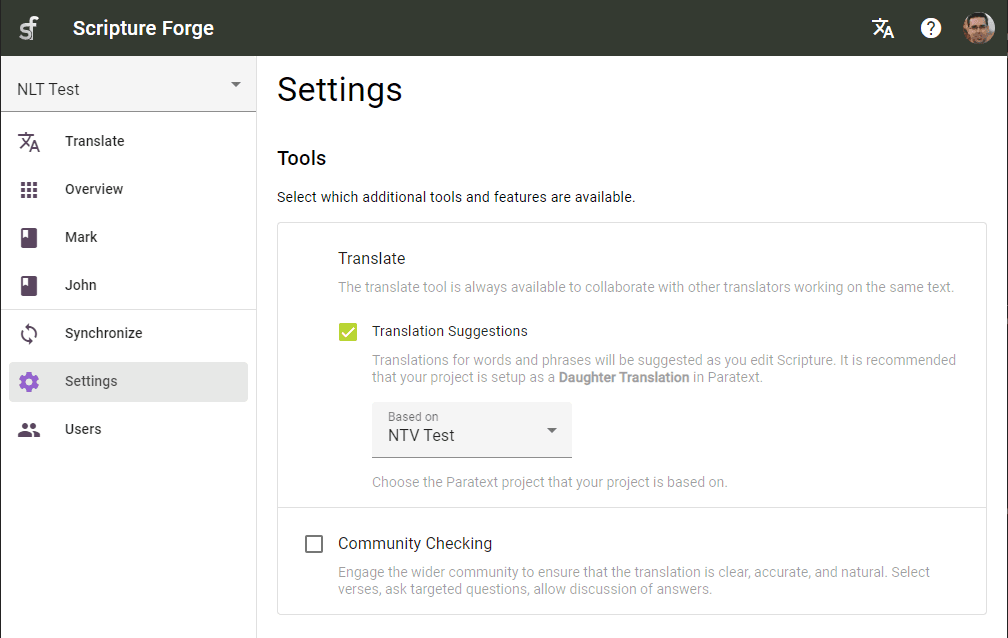
Translation suggestions are designed for teams that are drafting Scripture from another translation in a related language. With the suggestion engine set up and trained, Scripture Forge offers Translators suggestions as they type.
- Translators can receive suggestions about how to translate the next word or phrase, as they type.
- They can hit ENTER or click on the suggestion to accept it, or hit ESC or continue typing to ignore it.
- The suggestion engine learns and provides better suggestions as each verse is translated.
Translators can work on projects collaboratively, editing Scripture at the same time.
- Work with Translators in multiple locations on the same project.
- Collaborate on the same book, same chapter, or even the same verse.
- See other Translators' edits in real time, as they type.
The Community Checking tool facilitates modular Scripture checking campaigns, to deliver broader feedback to the translation committee, faster.
- Paratext integration and ongoing synchronization keeps your project up-to-date and allows user feedback via Paratext Notes.
- Compile unique questions that fit your specific context.
- Invited users can answer questions, leave comments on existing answers and like responses.