
Scripture Forge
Scripture Forge 允許譯者協同編輯聖經,使用翻譯建議,隨著翻譯進展而主動學習和改進。
Scripture Forge 是一套基於網頁的工具,讓你可以隨時隨地更好地運用你的 Paratext 專案。與語言社區互動。與同行合作。通過經文檢查擴大你的影響力。聖經專案涉及越來越多來自不同地理位置的心語人群。我們的社區檢查工具促進模組化的經文檢查運動,為翻譯委員會提供更廣泛的反饋,更快。
Scripture Forge 也允許譯者協同編輯聖經,使用翻譯建議,隨著翻譯進展而主動學習和改進。
通過結合基於規則的方法、統計方法和神經網絡機器學習,Scripture Forge 可以做出越來越準確的翻譯預測,使譯者的工作更簡單、更高效,然後邀請社區成員協同修訂。
屏幕
感言
"It was so easy! ...all I had to do to get started was log in using my Paratext registration and boom! It was all there. Right away I chose a verse and wrote a checking question for it. Then I also recorded myself asking that checking question. It's so great that feedback can be gathered either way"
Trevor Deck, SIL Global Diaspora Specialist
Scripture Forge integrates tightly with Paratext, so the user first needs to be an administrator on a Paratext project.
Next, go to https://scriptureforge.org/login and login with your Paratext credentials.
After logging in, you should see a list of Paratext projects for which you are an administrator. Choose one of these projects to open in Scripture Forge.
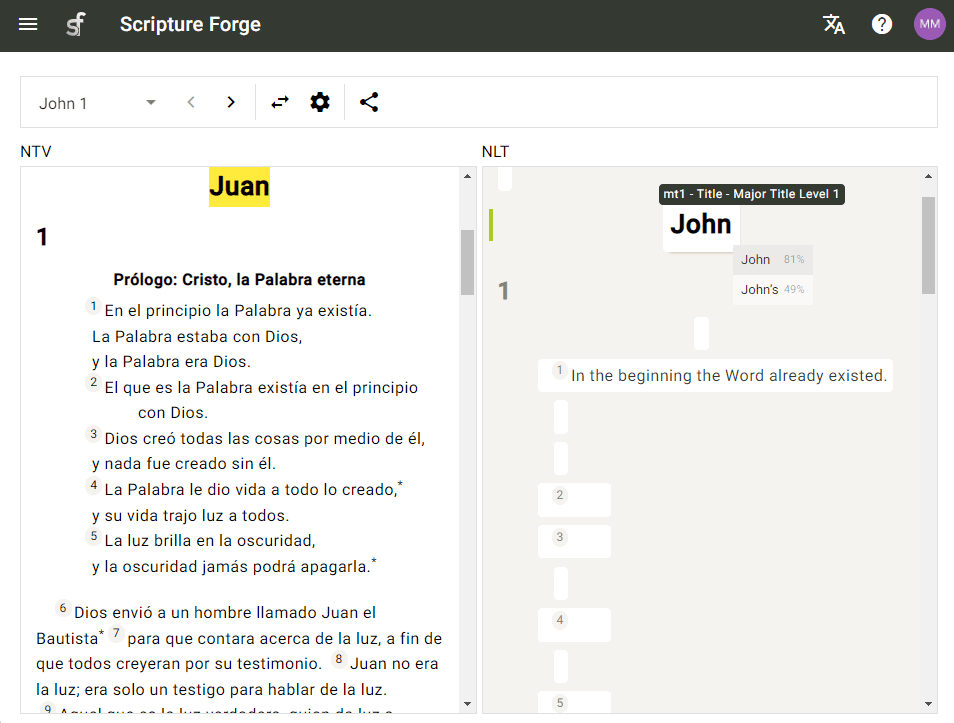
As you open a Scripture text, you will see translation suggestions that you can accept or ignore. As you go on, the suggestions should become increasingly accurate and helpful!
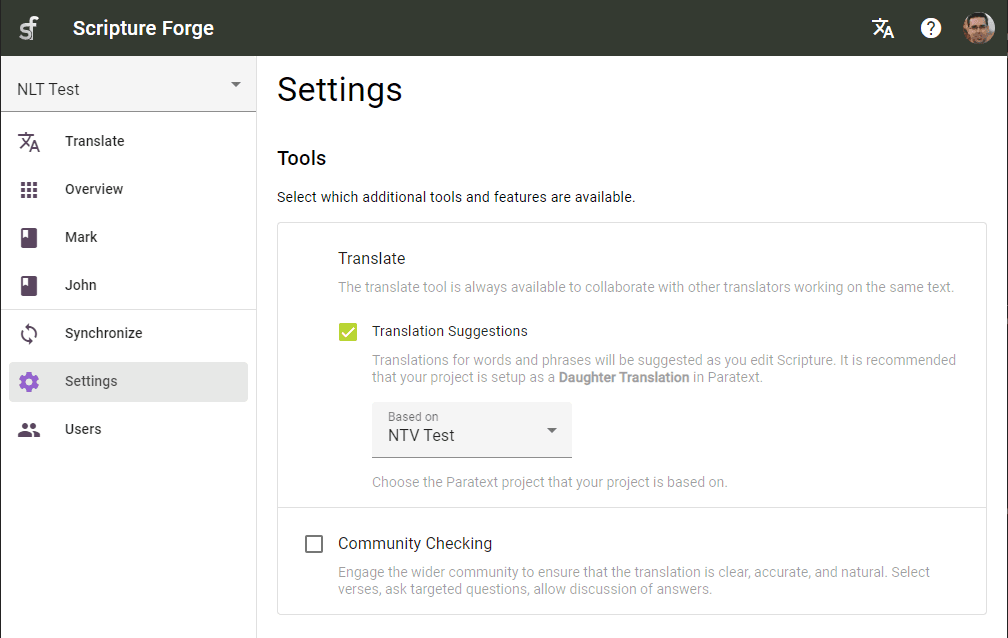
Translation suggestions are designed for teams that are drafting Scripture from another translation in a related language. With the suggestion engine set up and trained, Scripture Forge offers Translators suggestions as they type.
- Translators can receive suggestions about how to translate the next word or phrase, as they type.
- They can hit ENTER or click on the suggestion to accept it, or hit ESC or continue typing to ignore it.
- The suggestion engine learns and provides better suggestions as each verse is translated.
Translators can work on projects collaboratively, editing Scripture at the same time.
- Work with Translators in multiple locations on the same project.
- Collaborate on the same book, same chapter, or even the same verse.
- See other Translators' edits in real time, as they type.
The Community Checking tool facilitates modular Scripture checking campaigns, to deliver broader feedback to the translation committee, faster.
- Paratext integration and ongoing synchronization keeps your project up-to-date and allows user feedback via Paratext Notes.
- Compile unique questions that fit your specific context.
- Invited users can answer questions, leave comments on existing answers and like responses.