
Công cụ biên soạn Kinh Thánh
Công cụ biên soạn Kinh Thánh cho phép các dịch giả chỉnh sửa Kinh Thánh cộng tác, sử dụng các gợi ý dịch thuật tích cực học hỏi và cải thiện khi quá trình dịch thuật tiến triển.
Công cụ biên soạn Kinh Thánh là một bộ công cụ trực tuyến cho phép bạn làm nhiều hơn với dự án Paratext của mình, bất cứ nơi nào bạn ở. Tương tác với cộng đồng ngôn ngữ. Cộng tác với các đồng nghiệp của bạn. Mở rộng phạm vi tiếp cận của bạn với Kiểm tra Kinh Thánh. Các dự án Kinh Thánh thu hút ngày càng nhiều nhóm người nói ngôn ngữ mẹ đẻ đa dạng về mặt địa lý. Công cụ Kiểm tra Cộng đồng của chúng tôi tạo điều kiện cho các chiến dịch kiểm tra Kinh Thánh mô-đun, để cung cấp phản hồi rộng rãi cho ủy ban dịch thuật, nhanh hơn.
Công cụ biên soạn Kinh Thánh cũng cho phép các dịch giả chỉnh sửa Kinh Thánh cộng tác, sử dụng các gợi ý dịch thuật tích cực học hỏi và cải thiện khi quá trình dịch thuật tiến triển.
Sử dụng sự kết hợp của các phương pháp dựa trên quy tắc, các phương pháp thống kê và học máy mạng nơ-ron, Công cụ biên soạn Kinh Thánh có thể đưa ra các dự đoán dịch thuật chính xác ngày càng tăng, giúp công việc của các dịch giả trở nên đơn giản và hiệu quả hơn, và sau đó mời các thành viên cộng đồng tham gia vào việc chỉnh sửa.
Màn hình
Lời chứng thực
"It was so easy! ...all I had to do to get started was log in using my Paratext registration and boom! It was all there. Right away I chose a verse and wrote a checking question for it. Then I also recorded myself asking that checking question. It's so great that feedback can be gathered either way"
Trevor Deck, SIL Global Diaspora Specialist
Scripture Forge integrates tightly with Paratext, so the user first needs to be an administrator on a Paratext project.
Next, go to https://scriptureforge.org/login and login with your Paratext credentials.
After logging in, you should see a list of Paratext projects for which you are an administrator. Choose one of these projects to open in Scripture Forge.
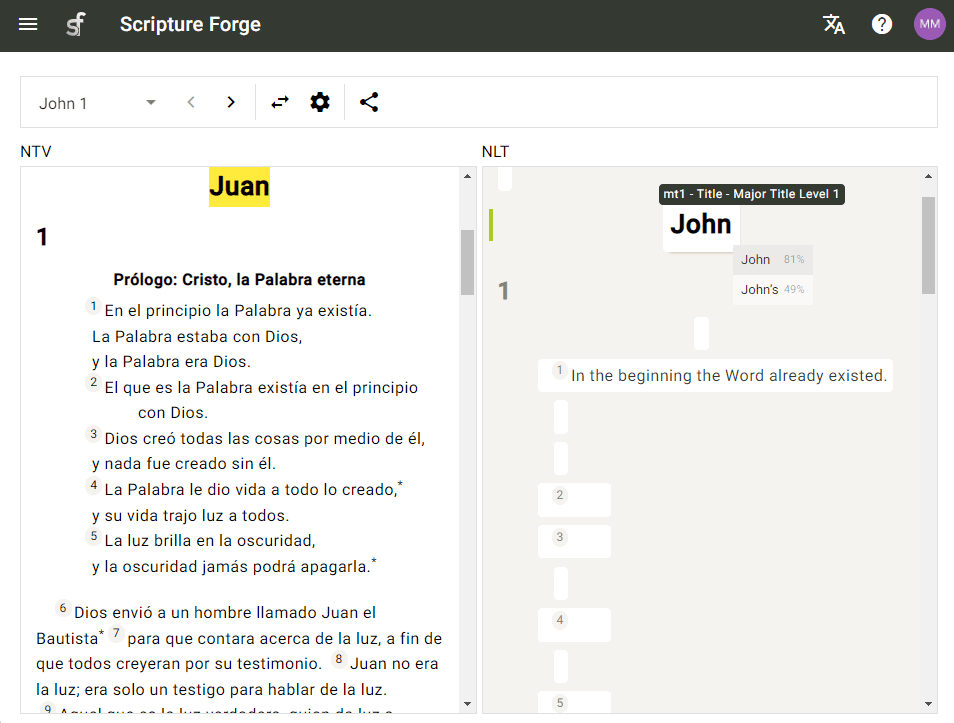
As you open a Scripture text, you will see translation suggestions that you can accept or ignore. As you go on, the suggestions should become increasingly accurate and helpful!
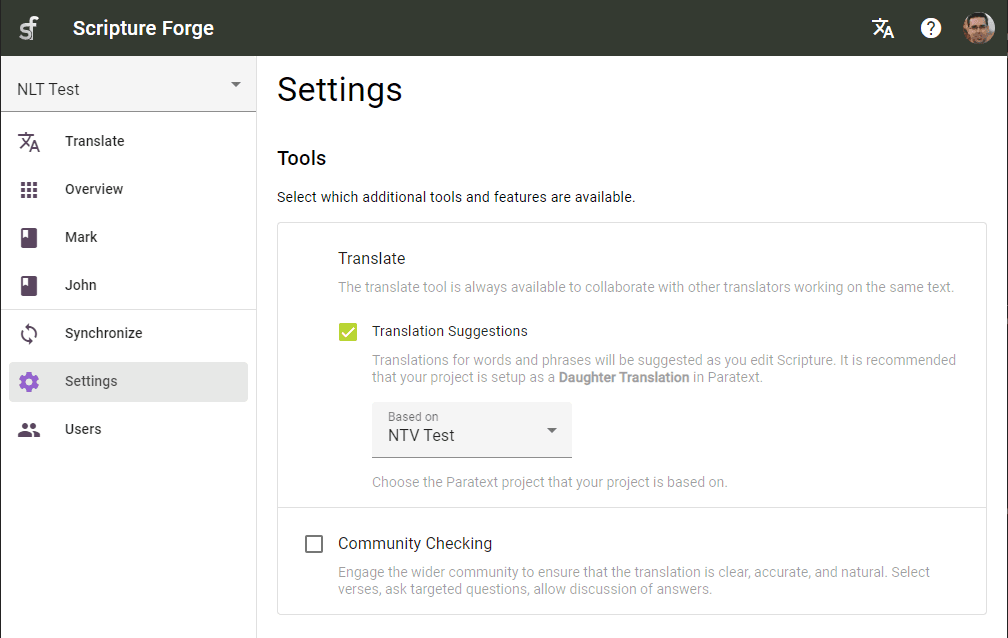
Translation suggestions are designed for teams that are drafting Scripture from another translation in a related language. With the suggestion engine set up and trained, Scripture Forge offers Translators suggestions as they type.
- Translators can receive suggestions about how to translate the next word or phrase, as they type.
- They can hit ENTER or click on the suggestion to accept it, or hit ESC or continue typing to ignore it.
- The suggestion engine learns and provides better suggestions as each verse is translated.
Translators can work on projects collaboratively, editing Scripture at the same time.
- Work with Translators in multiple locations on the same project.
- Collaborate on the same book, same chapter, or even the same verse.
- See other Translators' edits in real time, as they type.
The Community Checking tool facilitates modular Scripture checking campaigns, to deliver broader feedback to the translation committee, faster.
- Paratext integration and ongoing synchronization keeps your project up-to-date and allows user feedback via Paratext Notes.
- Compile unique questions that fit your specific context.
- Invited users can answer questions, leave comments on existing answers and like responses.