
Trình Quản lý Dự án Âm thanh
Trình Quản lý Dự án Âm thanh là ứng dụng web hoặc máy tính để bàn giúp đơn giản hóa việc quản lý các tệp âm thanh lời nói, cung cấp giải pháp cho dịch thuật Kinh Thánh bằng miệng, soạn thảo bằng miệng, kể chuyện và các dự án phiên âmทั่วไป.
Nếu bạn đang làm việc trên một bản dịch Kinh Thánh âm thanh, bạn có thể có hàng trăm tệp âm thanh mà bạn đang cố gắng theo dõi, liên quan đến các phần khác nhau của Kinh Thánh, ở các giai đoạn sửa đổi và thử nghiệm khác nhau. Làm thế nào bạn giữ chúng được tổ chức và phối hợp các người dùng khác nhau một cách hiệu quả?
Trình Quản lý Dự án Âm thanh được tạo ra để giúp bạn tổ chức và theo dõi các tệp ở các giai đoạn dịch thuật, kiểm tra và sửa đổi khác nhau, để bạn có thể tập trung vào việc tạo ra một sản phẩm hoàn thiện chất lượng.
Màn hình
Lời chứng thực
"Thank you guys for your hard work on this. Transcriber has become an integral part of our process. Being web based and able to coordinate between machines/users from a distance has greatly improved our workflow."
Chase Reynolds, Wycliffe Bible Translators
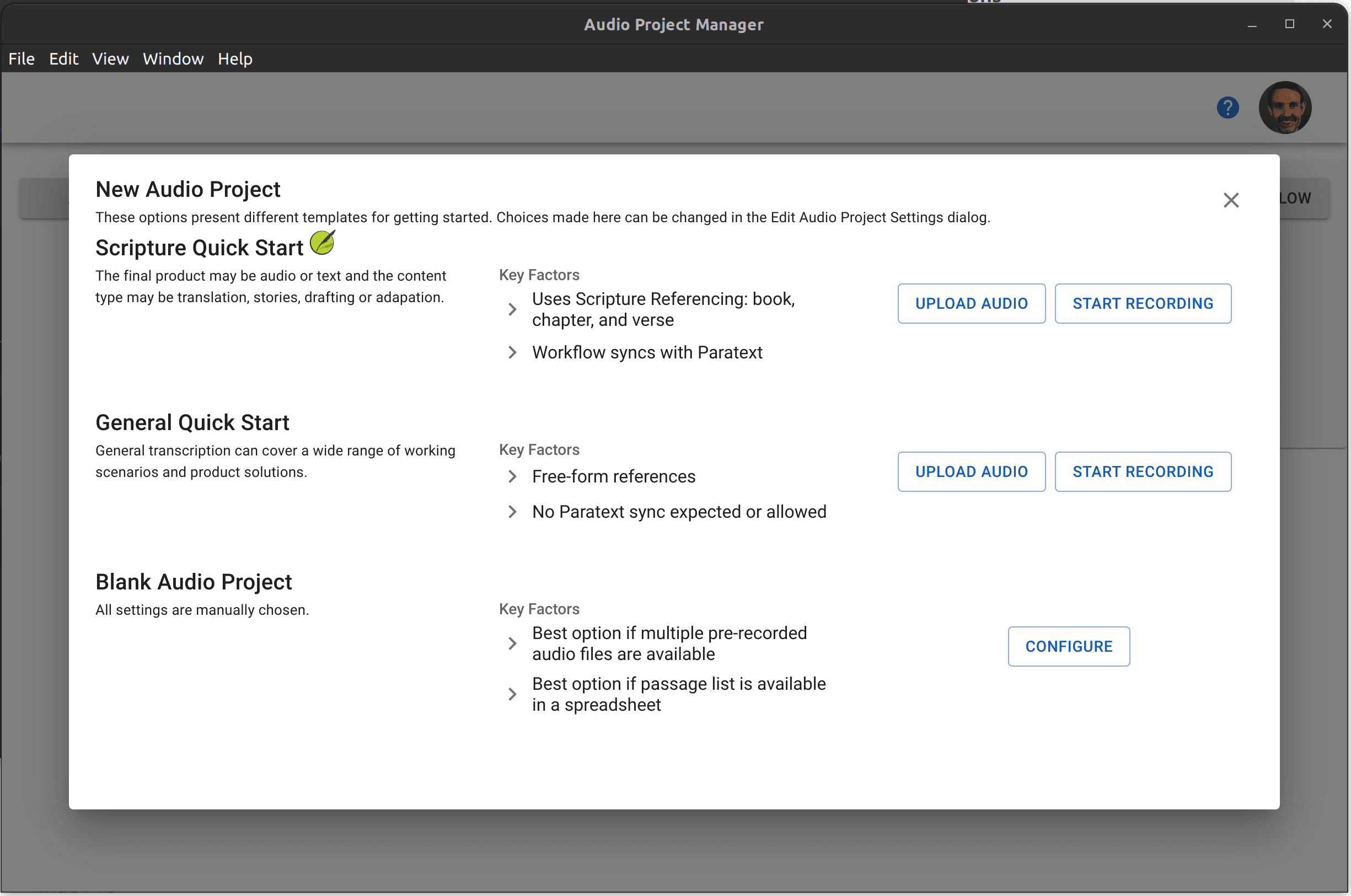
Audio Project Manager provides a flexible tool for those using orality with a customizable workflow, internalization resources that are audio or display oriented, threaded discussions, community checking, and back translation tools. The goal is to provide a hybrid audio-text solution allowing those doing the work to choose oral only or a mixture of oral and text contributions.
Audio Project Manager's simple design works even for those without extensive computer experience. The Administrator uses the web admin tools to setup the project and assign the work if desired. Audio work can be done online with the web app or offline with the Desktop application.
Audio Project Manager features sending transcriptions directly to Paratext. Audio Project Manager keeps track of the book, chapter and verse ranges. On the web app, this will be sent to the Paratext repo so each Paratext user can sync to their device. The Desktop Extension syncs to the Paratext installation on the local machine so it will work without an Internet connection.