
Fieldworks Lite
بواسطة: SIL
FieldWorks Lite هو تطبيق مصمم للاستخدام السريع و السهل لمشاريع قاموس FieldWorks.
FieldWorks Lite مصمم ليكون:
FieldWorks Lite لا يزال في مرحلة مبكرة من التطوير و يحتوي فقط على مجموعة أساسية من الميزات. على الرغم من أن لدينا الكثير من الأفكار ، فإننا نهتم جدًا بمعرفة الميزات التي تجدها مفيدة. عند تشغيل التطبيق ، يوجد زر تعليقات في أعلى اليمين ؛ نحن نحب أن نسمع أفكارك.
- متعدد المنصات: حاليًا ويندوز، أندرويد و لينكس (ألفا) مع iOS و Mac قيد التقدم
- قابل للاستخدام دون اتصال بالإنترنت: لا يلزم اتصال إنترنت
- تعاوني: شاهد التغييرات المباشرة من المستخدمين الآخرين
- تاريخي: يمكّنك من عرض تاريخ كامل لكل إدخال في مشروعك
الشاشات
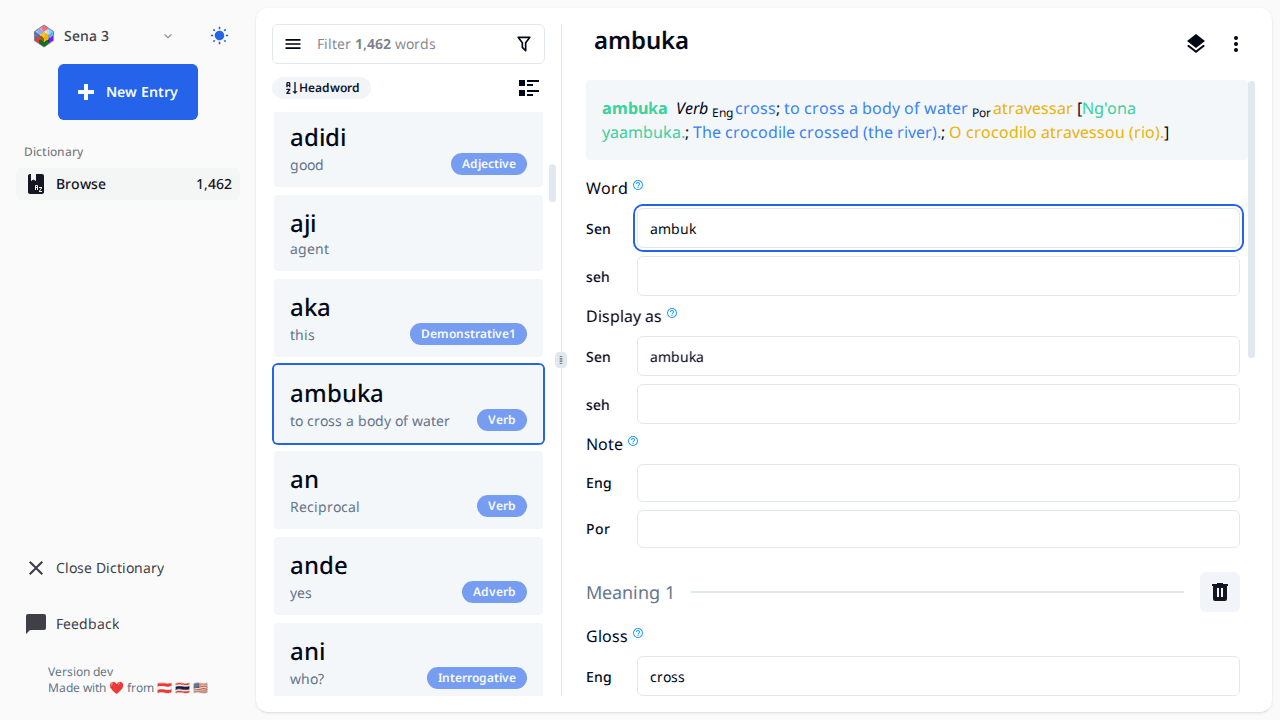
- Make sure your data is backed up first if it's important. If you use Lexbox S/R, then your data is already backed up and you're good.
- The landing page should have a list of all your FW projects (right now it's hard coded to list each folder in 'C:ProgramDataSILFieldWorksProjects'), click the open button with the FW icon and it will open the editor on the page.
- When working with this editor all changes are saved automatically once you finish editing a field (once the text field loses focus)
- All entries created will have the Morph type of stem
- The FW project will be locked while using this tool, meaning you can't open the project in FieldWorks while you have it open in FW Lite. There is a button to open an entry in FW, this will close the project in FW Lite, and launch FW using the link to entry feature in FW.
- To get a new project or S/R changes to a project, open FieldWorks and do it there.
- FW Lite supports editing Entry, Sense, and Example Sentences. Some things like Part of Speech and Semantic domains are supported on Sense. If you want to change the name of a part of speech or add a new one that must be done from within FieldWorks.
- There are buttons to reorder senses and example sentences, however those changes don't get saved right now.
- Sorting of entries is by headword, we may consider adding other sort options in the future
- The little book button to the left of the filter bar shows a list of exemplar characters and will let you filter by those.