
Fieldworks Lite
FieldWorks Lite es una aplicación léxica complementaria reducida para proyectos de diccionario de FieldWorks que busca ser rápida y fácil de usar.
FieldWorks Lite está diseñado para ser:
FieldWorks Lite todavía está en una etapa temprana de desarrollo y solo tiene un conjunto básico de características. Aunque tenemos muchas ideas, estaríamos muy interesados en escuchar qué características te serían útiles. Cuando lanzas la aplicación, hay un botón de comentarios en la parte superior derecha; nos encantaría escuchar tus pensamientos.
- Multiplataforma: actualmente Windows, Android y Linux (Alpha) con iOS y Mac en progreso
- Utilizable sin conexión: no se requiere conexión a Internet
- Colaborativo: observa cambios en vivo de otros usuarios
- Con historial: lo que te permite ver el historial completo de cada entrada en tu proyecto
Pantallas
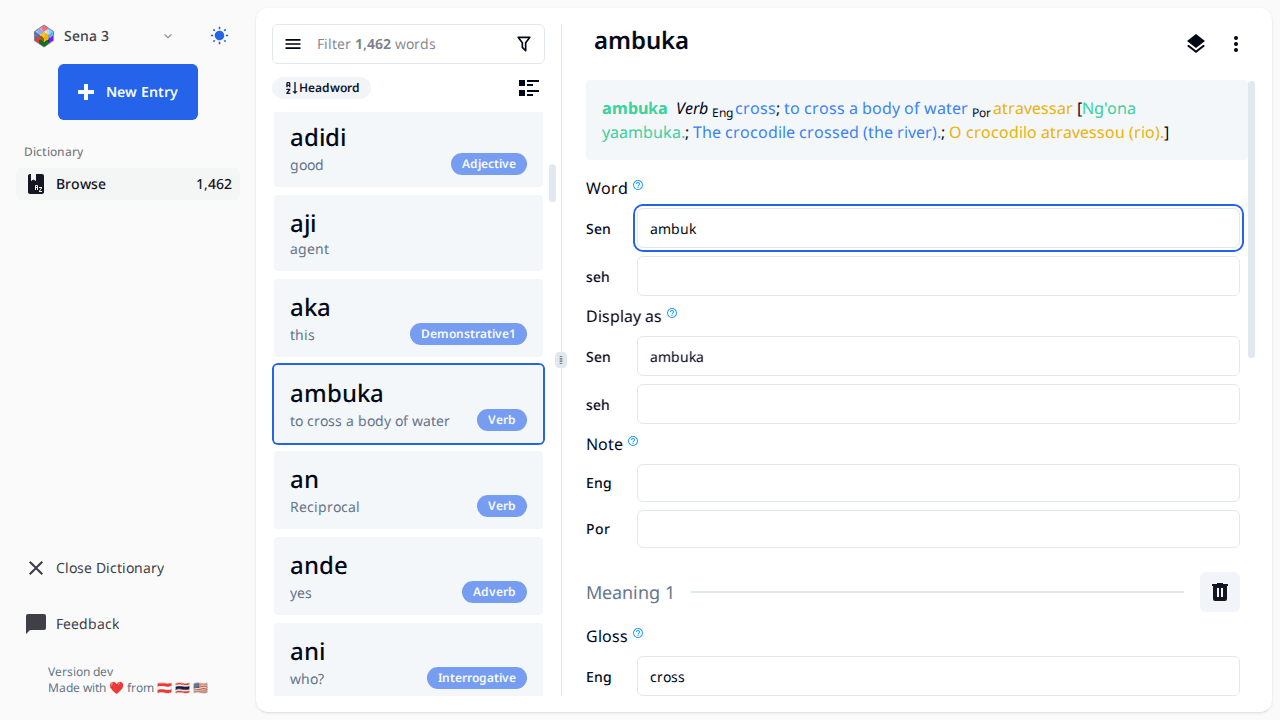
- Make sure your data is backed up first if it's important. If you use Lexbox S/R, then your data is already backed up and you're good.
- The landing page should have a list of all your FW projects (right now it's hard coded to list each folder in 'C:ProgramDataSILFieldWorksProjects'), click the open button with the FW icon and it will open the editor on the page.
- When working with this editor all changes are saved automatically once you finish editing a field (once the text field loses focus)
- All entries created will have the Morph type of stem
- The FW project will be locked while using this tool, meaning you can't open the project in FieldWorks while you have it open in FW Lite. There is a button to open an entry in FW, this will close the project in FW Lite, and launch FW using the link to entry feature in FW.
- To get a new project or S/R changes to a project, open FieldWorks and do it there.
- FW Lite supports editing Entry, Sense, and Example Sentences. Some things like Part of Speech and Semantic domains are supported on Sense. If you want to change the name of a part of speech or add a new one that must be done from within FieldWorks.
- There are buttons to reorder senses and example sentences, however those changes don't get saved right now.
- Sorting of entries is by headword, we may consider adding other sort options in the future
- The little book button to the left of the filter bar shows a list of exemplar characters and will let you filter by those.